

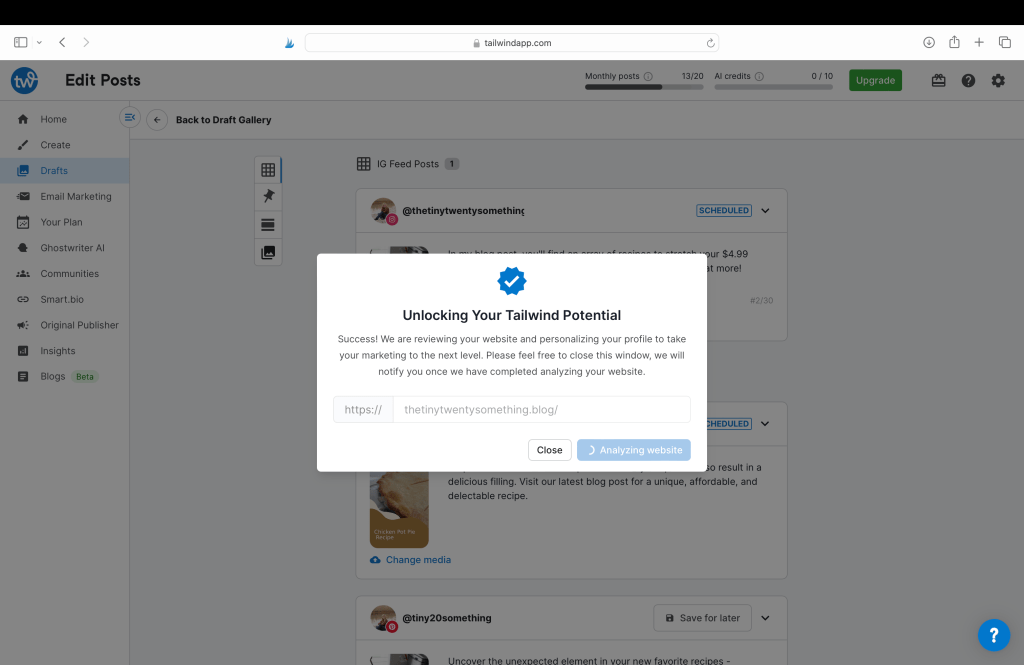
Tailwind is using AI with this new magical tool that I am just simply amazed by right now! Recently I was tinkering with digital content creation for The Tiny Twenty-Something blog and discovered in the drafts section an option to type or paste in your website URL. Next thing I know, AI is sweeping my entire website, giving me the option to choose blog posts to then have them create content for me! The Ghostwriter/AI is even sampling my website and using my stylistic tendencies to create content for me. In a matter of minutes, Tailwind created 63 posts for me including optimized content for all connected social media accounts (Pinterest, Instagram and Facebook!)
HOW WILD IS THAT!?
I have long since been a fan of Tailwind since my first discovery of it in 2019. And why not? It’s affordable for several different situations, and it just keeps getting better and better. The team at Tailwind just keeps finding ways to make its social media content management software easier and better for writers and non writers alike.
**Disclosure: I am a Tailwind affiliate and this post contains affiliated links- this means that I may earn a commission from products if you buy them using these links at no additional cost to you.
Things to Keep in Mind
While this Made for You Tailwind tool saves a ton of time in your blogging as business schedule, a responsible blogger and business owner should look out for these following things in order to maintain accuracy and make sure things still look clean and organized.
Adding Links
Still need to manually add your short link or blog link to Instagram and Facebook posts. But Pinterest is done for you. I recommend using the short link to avoid copy and paste errors and make it cleaner looking for the Facebook post.
Watch out for Media
If your blog post or page doesn’t have media associated with the content, then the Made for You AI tool will simply use your most recent image and you need to pay attention to that detail. Get your Optimizing Blog Post Checklist here!
Watch out for Language in the Made for You Post
Even though the Made for You service generates content that stylistically matches your voice and brand, be sure to read the content and make sure that it’s what you want published. If you’re using a post from a year ago, it’s not going to be your latest blog post as some content will say when it’s auto-generated. Although, this should only be a challenge in the beginning of you using the Made for You tool if you’re sweeping your website from a year ago. If you maintain a weekly or monthly schedule, you won’t need to delete that phrase quite as often as I did when I tried this tool out for the first time.
What Happens if I Don’t Like the Text?
It’s super easy to edit the text if you are not a fan of all the language used in the social media content. Just click on the posts you want to edit, select the box that says “Bulk Edit/Schedule” and you will be redirected to the familiar page of setting up a post.
And as I always recommend to my clients, always be sure to be transparent in your language and ensure that the content truly matches who you are as a business owner/presenter. I’m still tinkering with this new tool for The Tiny Twenty-Something but I will be sure to update you on my Instagram.

Call to Action Phrases
Another example is the call to action phrase to get your audience to leave their social media and be redirected to your website. For IG, you will want to add text like “link in bio” rather than “click now” and for Facebook, opt for “click link now” rather than “link in bio.” For either Facebook, Pinterest or Instagram, you will want to make sure it is an accurate statement when the post says “stay tuned for…” If it is already published, you don’t want that!
Tailwind will also provide you the text “[Link to blog post]” and it is your job to catch that and edit it with your website’s post link.
Forever Free Plan
If you’re using the Free Forever Plan, you’ll also want to keep an eye on your scheduling while you’re batch scheduling with the Made for You Tailwind tool. It’s pretty easy to experience the snowball effect of scheduling, scheduling, scheduling. (Read more about what I have to say about the Forever Free Plan here.) My Forever Free plan includes 20 posts to be published each month, then you will want to change your Smart Schedule to post 3-4 times a week and delete the other days before you start batch scheduling. Newer accounts are sadly down to 5 posts a month so you need to be frugal and thoughtful….

Additional Posts
If you have the Forever Free plan then you have a limited number of social media posts per month that resets at the end of your membership month. However, that doesn’t mean you can’t post more each month on your own. Grab your phone or get onto your laptop and schedule posts right in the Facebook and Instagram app whenever you want!

Purchasing a Tailwind Annual Plan
While I am currently a Forever Free plan user (due to a lack of business income), I wholeheartedly promote the Tailwind annual plans. A greater access to all their amazing tools means a greater success to the traffic on your social media accounts, and ultimately, your website and business. Plans now start at $12.99 per month ($155.88 per year + tax). GET STARTED TODAY!
 Katherine MC Johnson